One design system for 30+ teams and 50+ agencies

Client: WPP 2022 – 2024 | Design Team: 3 designers | Role: Senior Product Designer

Web

Situation

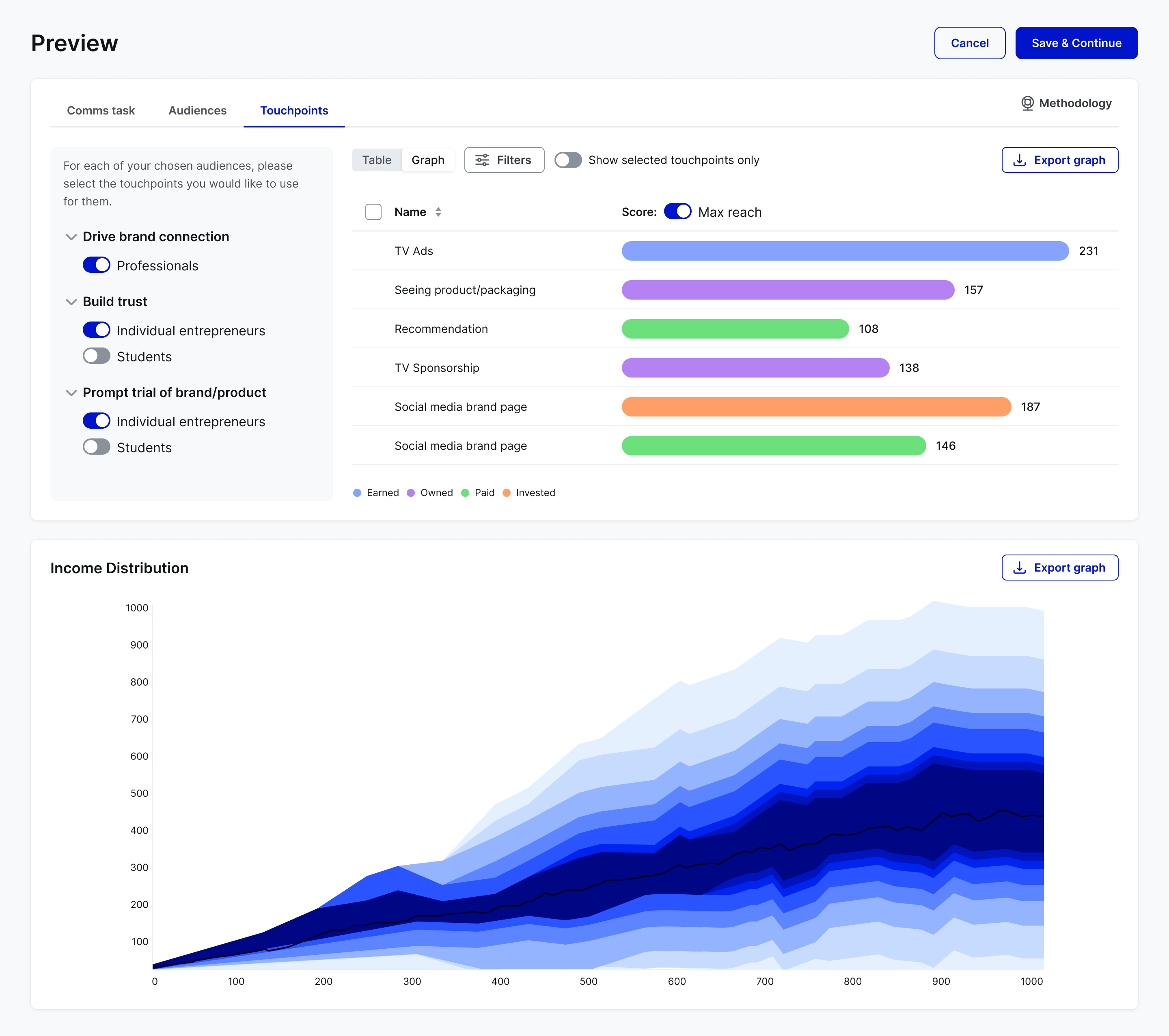
A large AdTech holding company had teams across several business units, and each team built its own screens. Products looked and behaved differently, code was duplicated and engineers spent up to 70% of time rebuilding things that already existed.

Task

As Senior Product Designer in a team of three, I contributed to the strategy and build of one design system. It had to suit both data-heavy business tools and media-rich creative apps, support each agency's own brand colours, and stay accessible.

Action

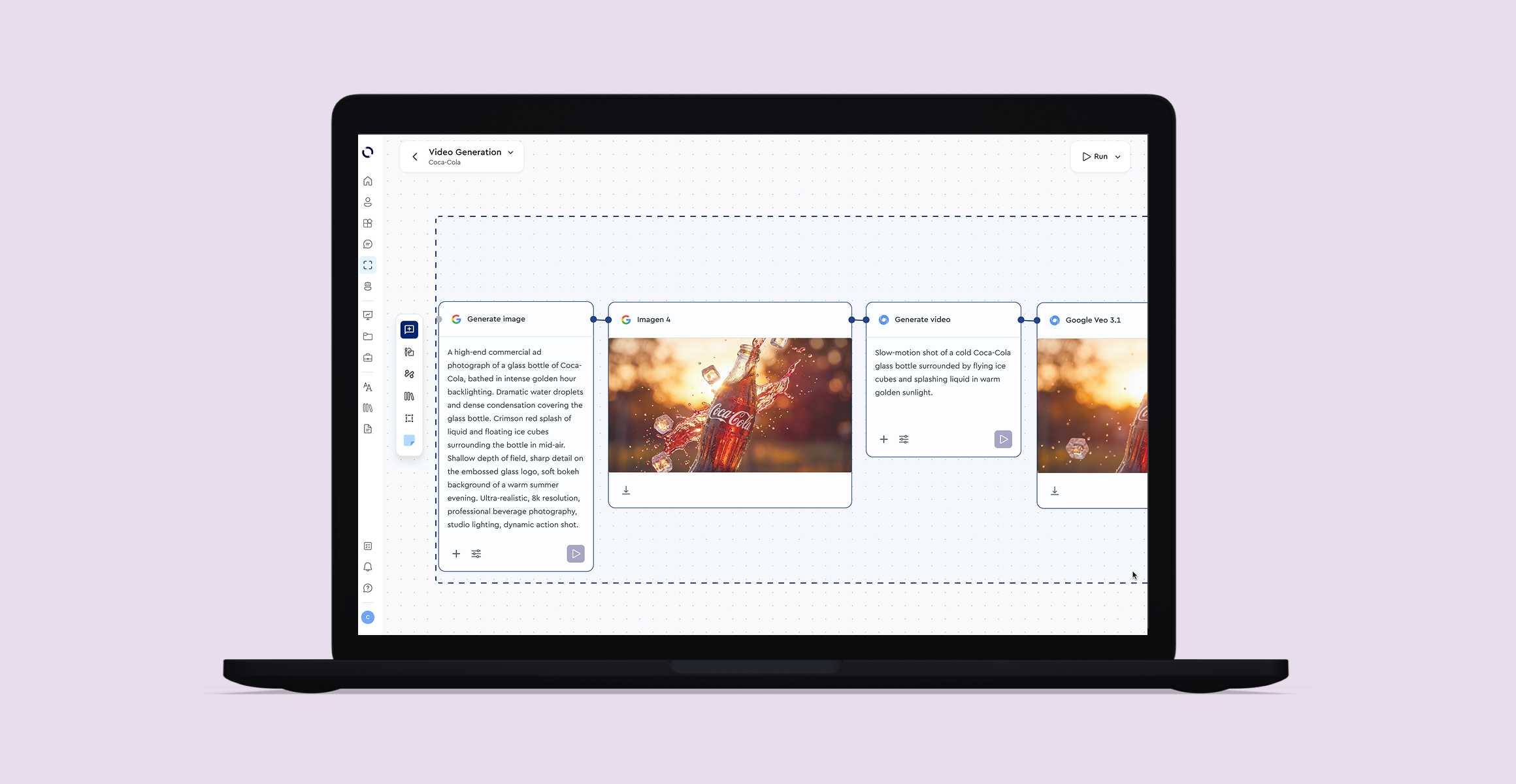
One foundation instead of two libraries. Media teams needed tidy, rigid tools for complex data, while creative teams needed flexible screens for collaborative work. Rather than maintain two libraries, I built a single shared foundation that serves both, which also sped up each team's own feature work.

Token-Driven Architecture

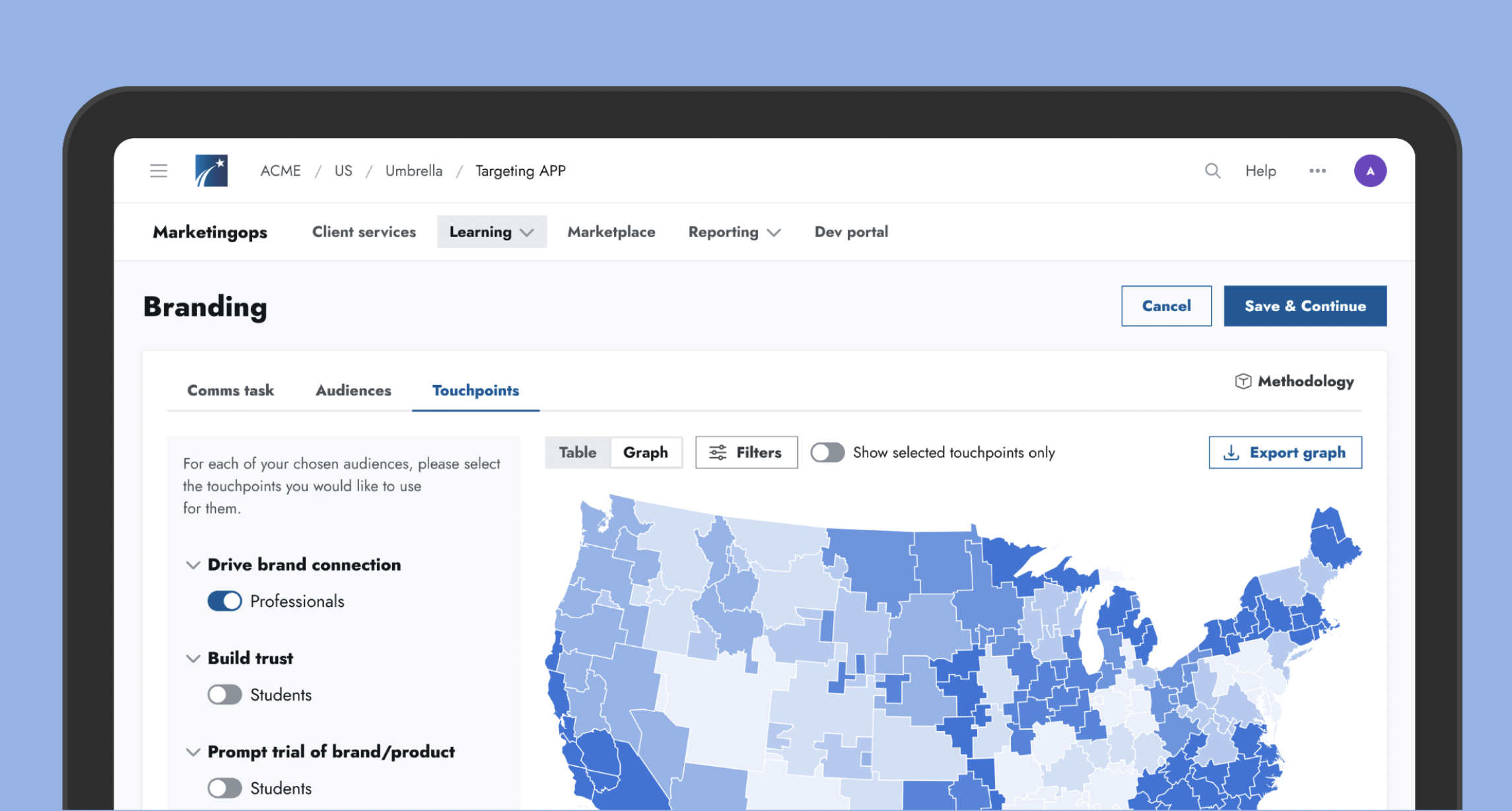
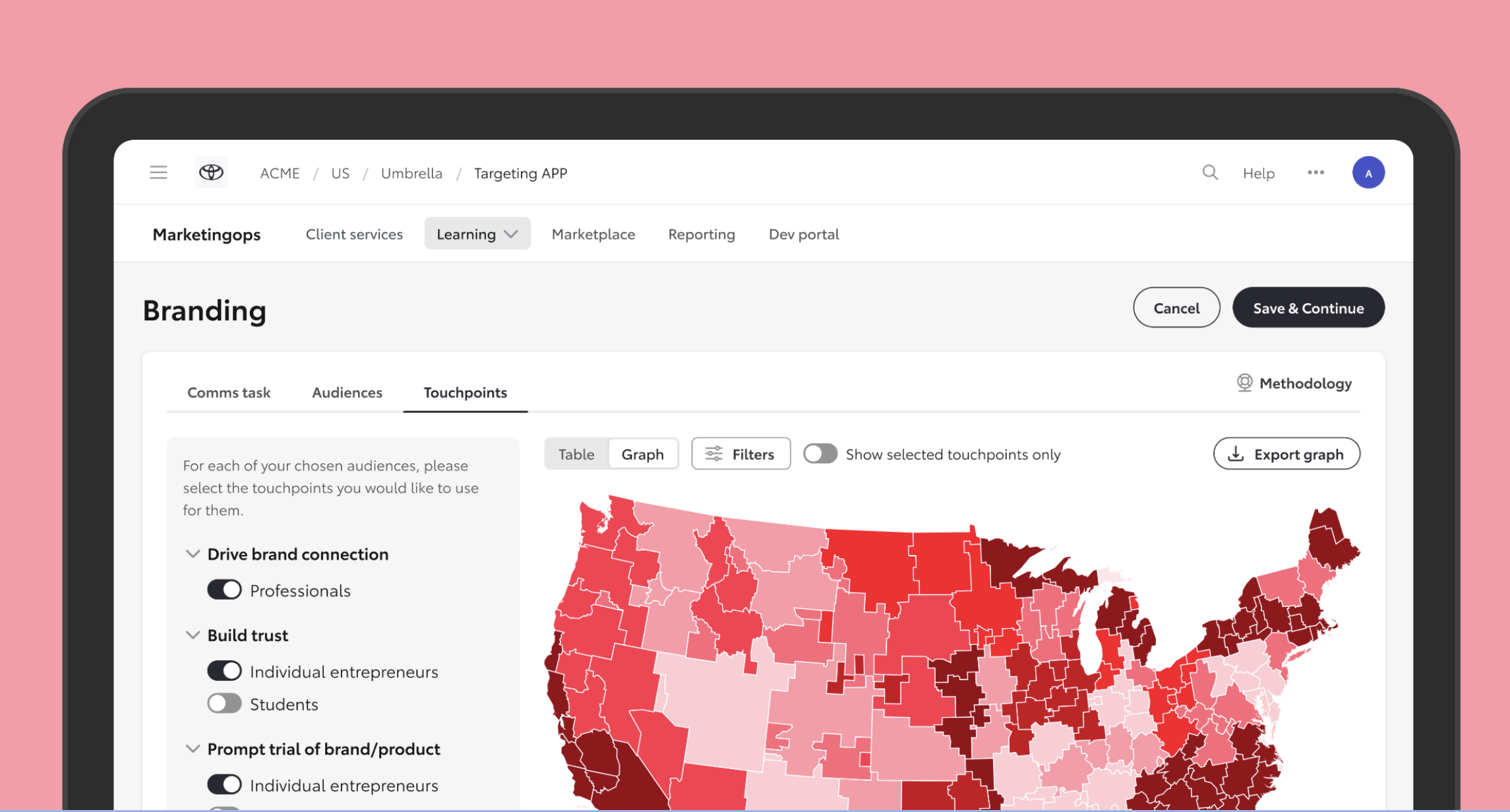
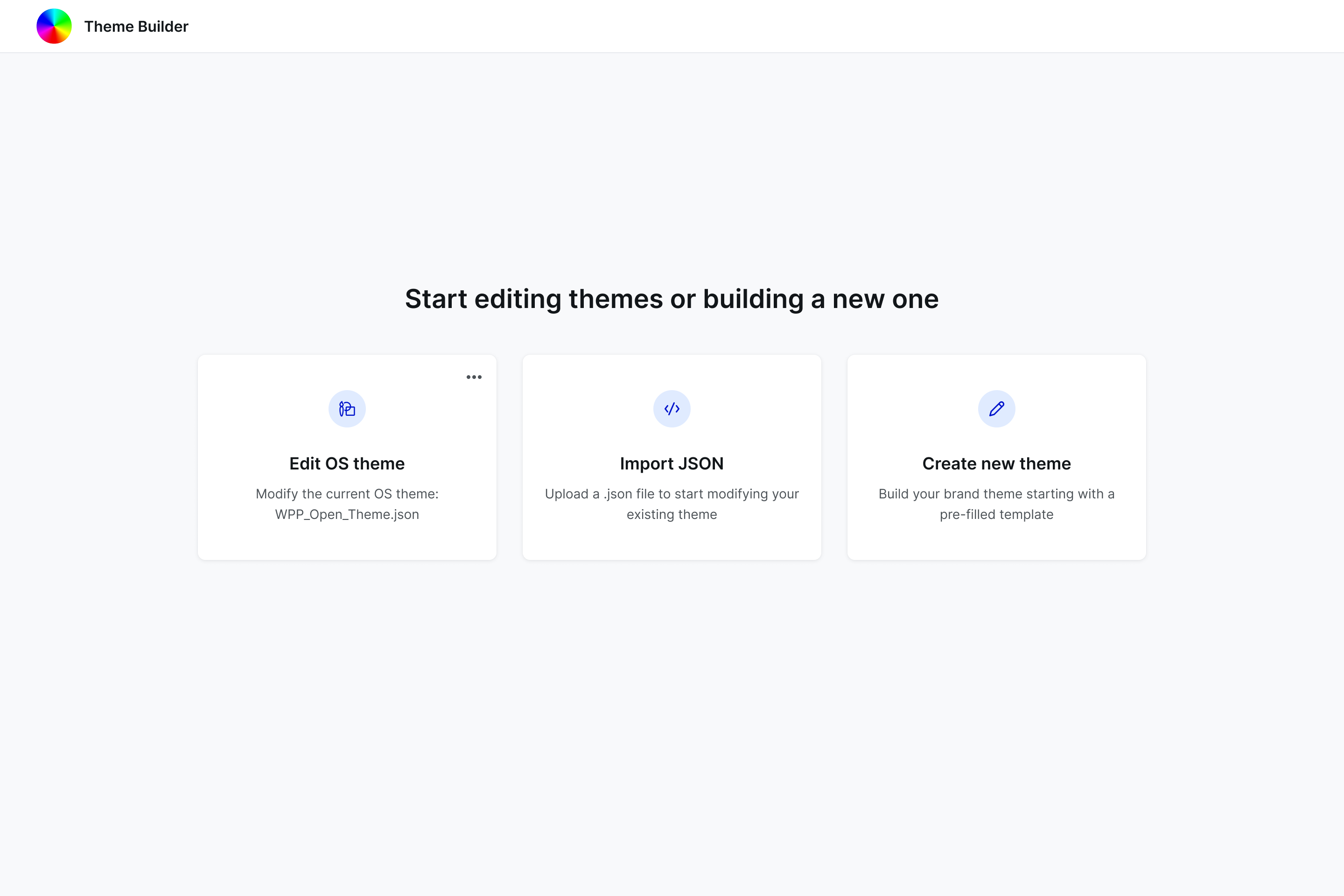
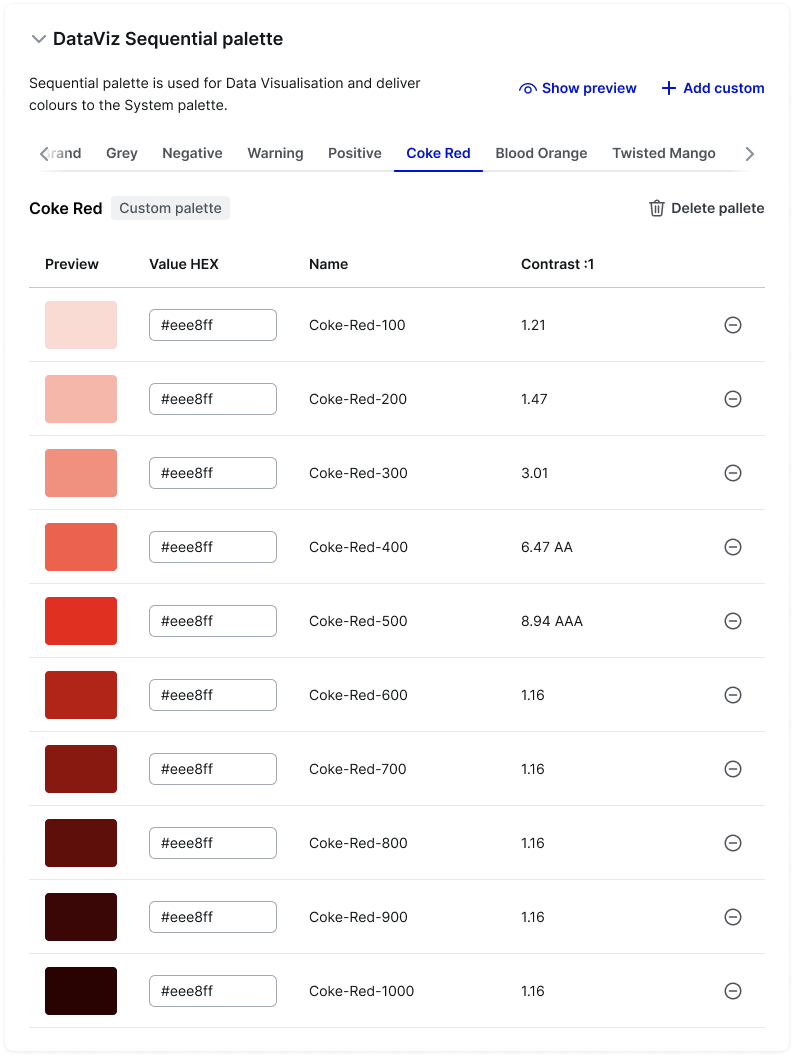
Built a tiered token architecture (primitive, semantic, component) to support scalability and simplify global updates, enabling agency colour swaps via JSON file.

To swap colours in Figma (before Figma introduced in-house variables) I used a dedicated Foundation library file so teams could apply custom colours and styling independently without touching the core system

#003DE4

Value

color-base-500-light-agency

Primitive token

color-PrimaryBG-light-agency

Semantic token (Purpose)

button-color-PrimaryBG-light-agency

Component token
A Theme Builder for agencies

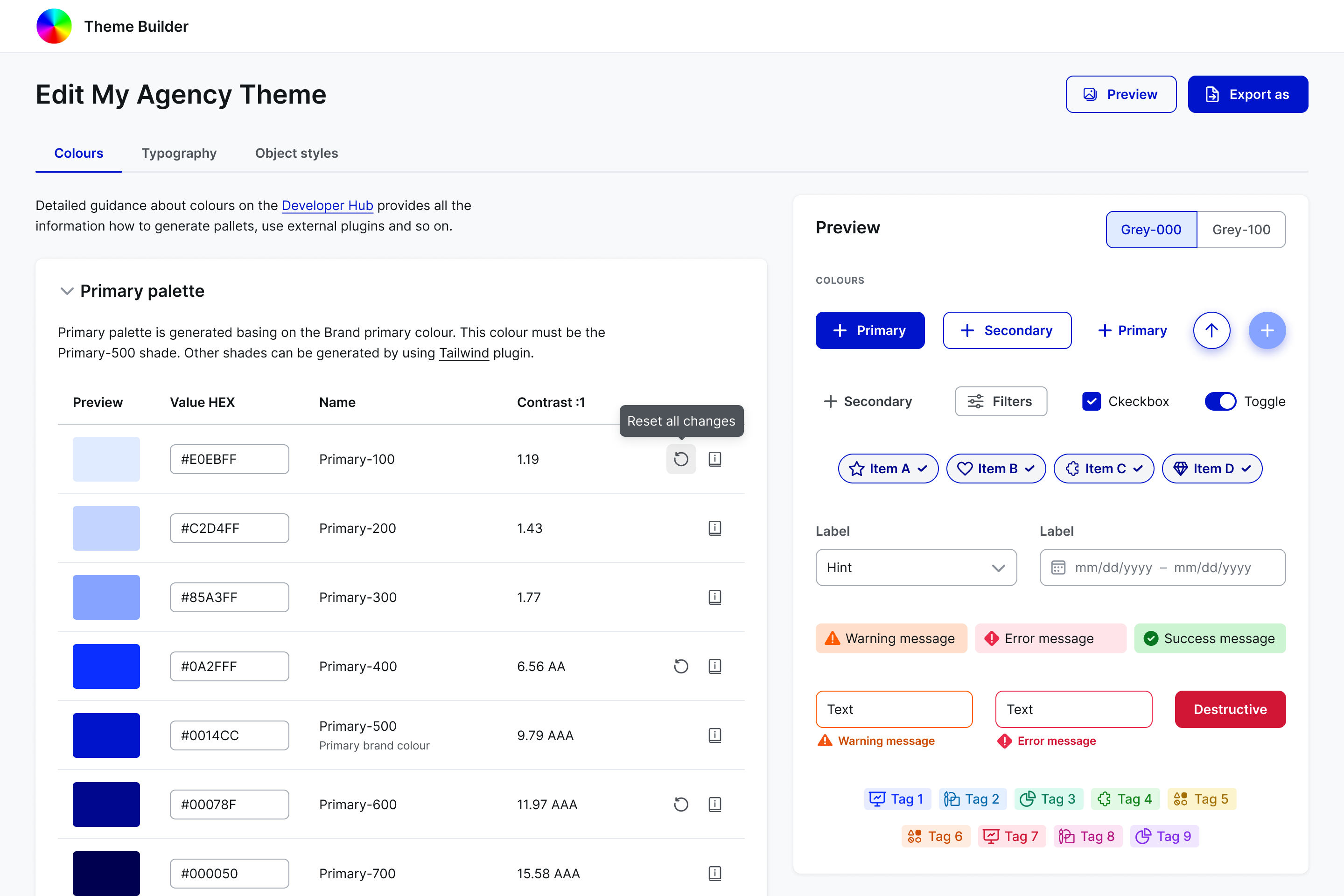
We’ve created an internal tool to provide agencies and clients spaces with guidance on creating their own theme and have a preview of core elements.

Design and code released together

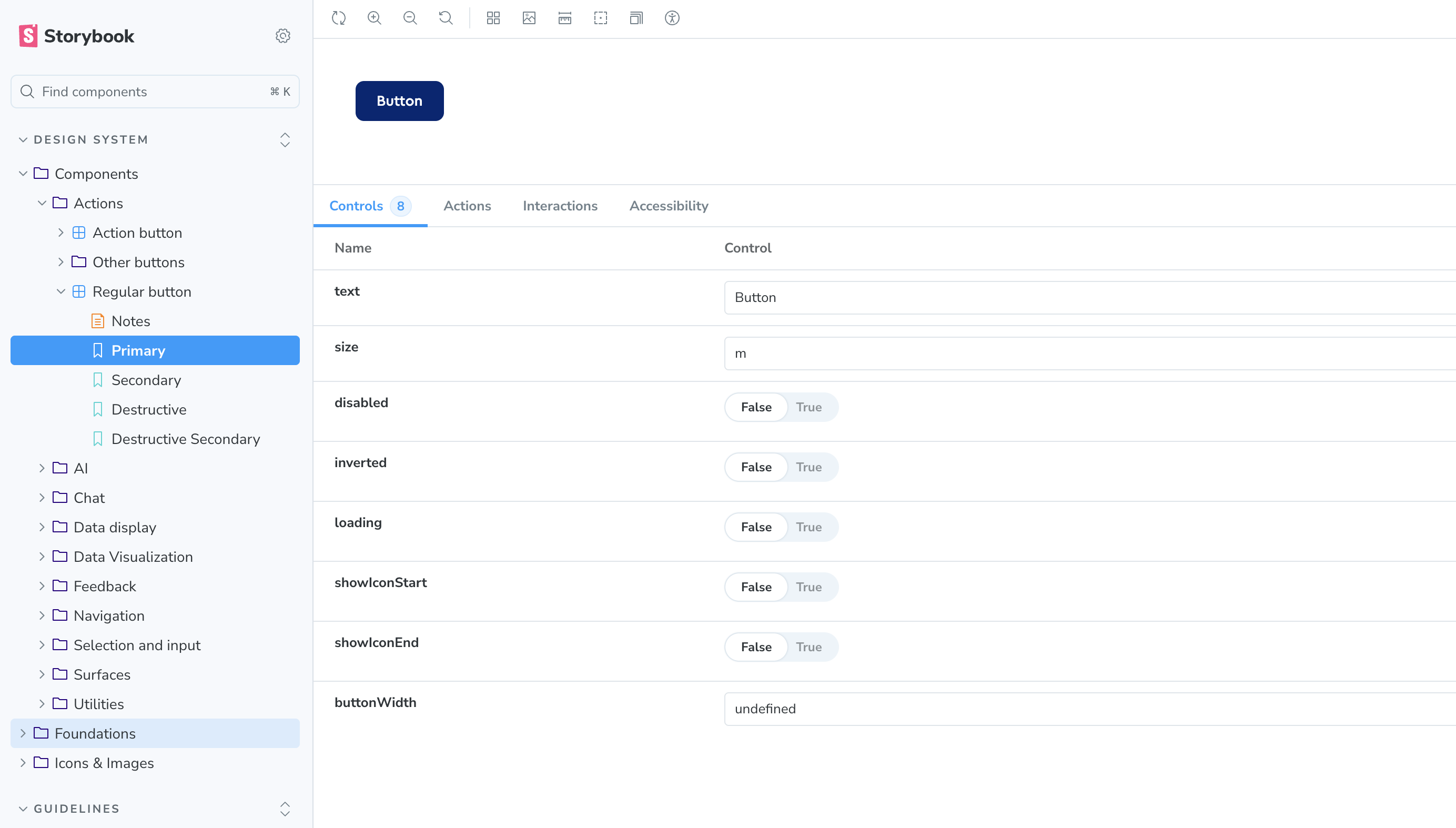
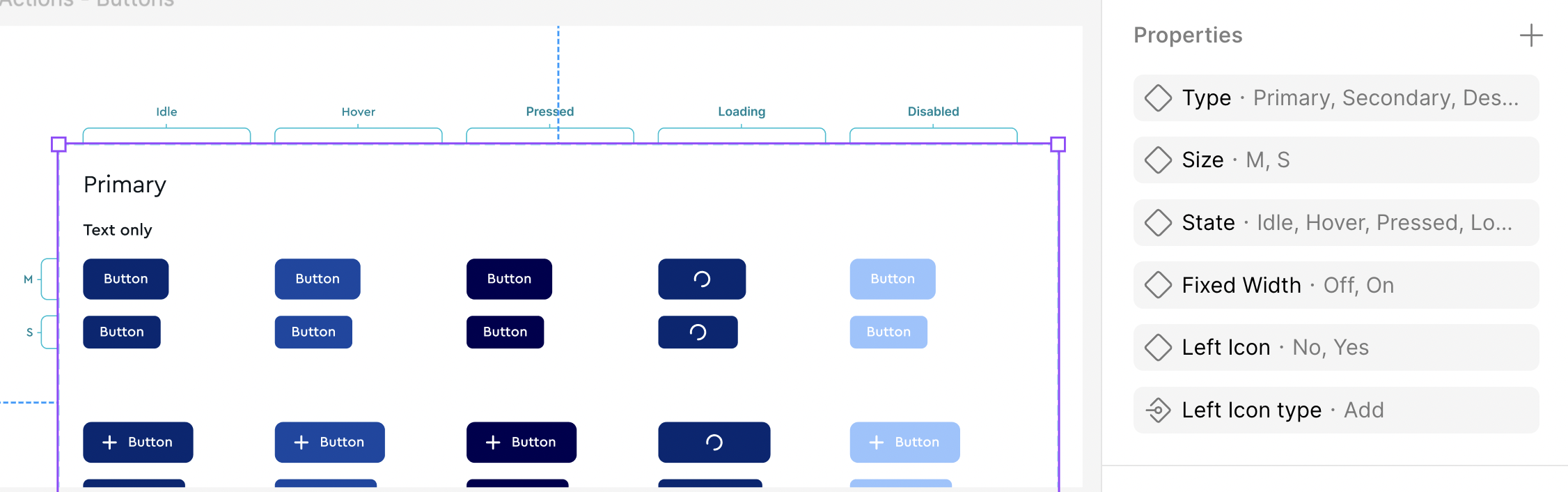
I treated the Figma files and the coded components as one package, with version numbers that tell people how big a change is. Through semantic versioning and post-handoff Storybook alignment, I eliminated design-to-engineering drift.

v.1.x.x

Major releases with breaking changes and significant updates. Major releases substitute one of the monthly minor releases based on what we want to release. We always let you know about upcoming major releases.

v.1.1.x 

Minor releases with smaller improvements, new features, and bug fixes. Minor releases happen monthly.

v.1.1.1

Patch releases with critical fixes or improvements. We don't plan patch releases. They happen when we need to update something outside the planned release schedule.

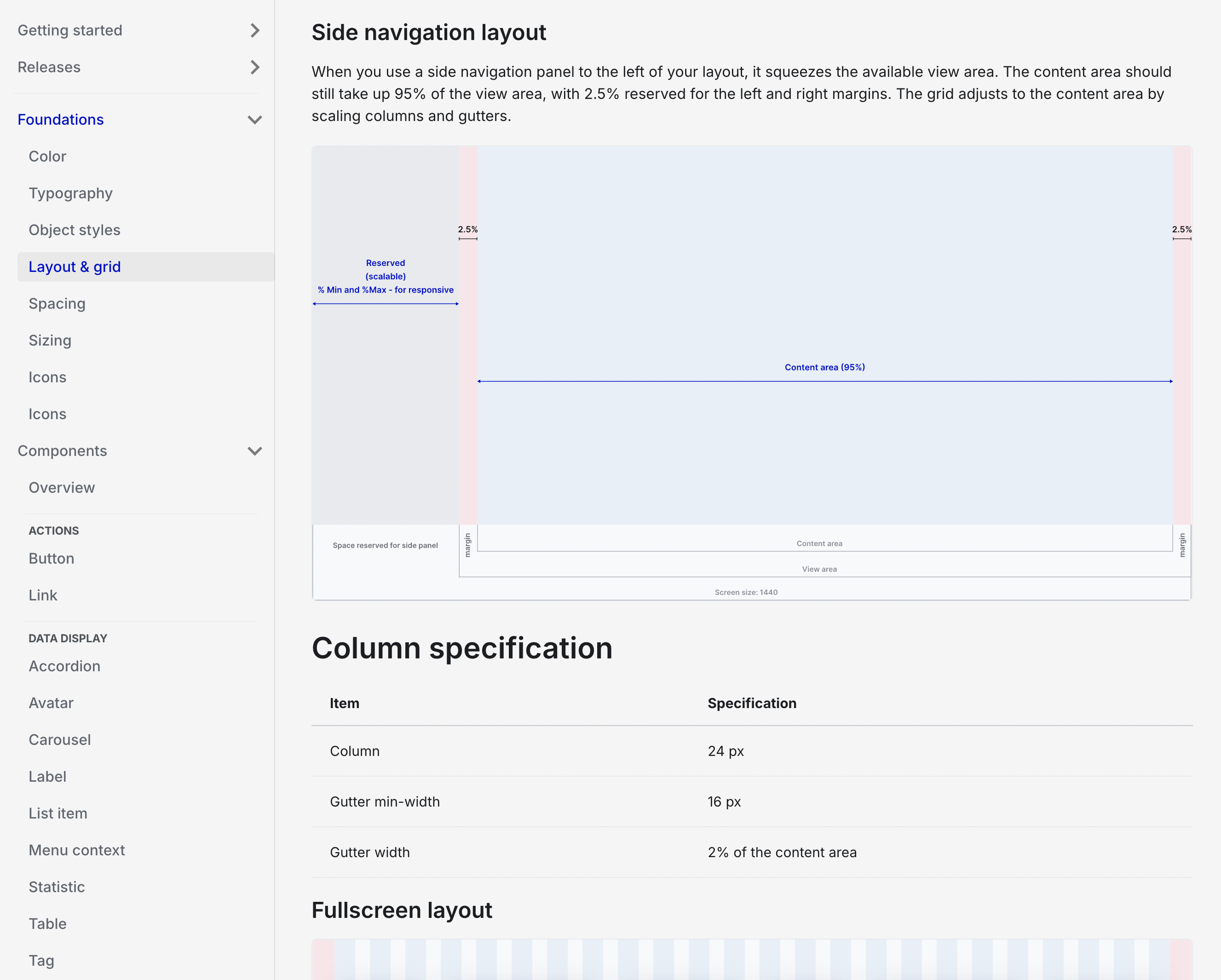
Documentation designed like a product

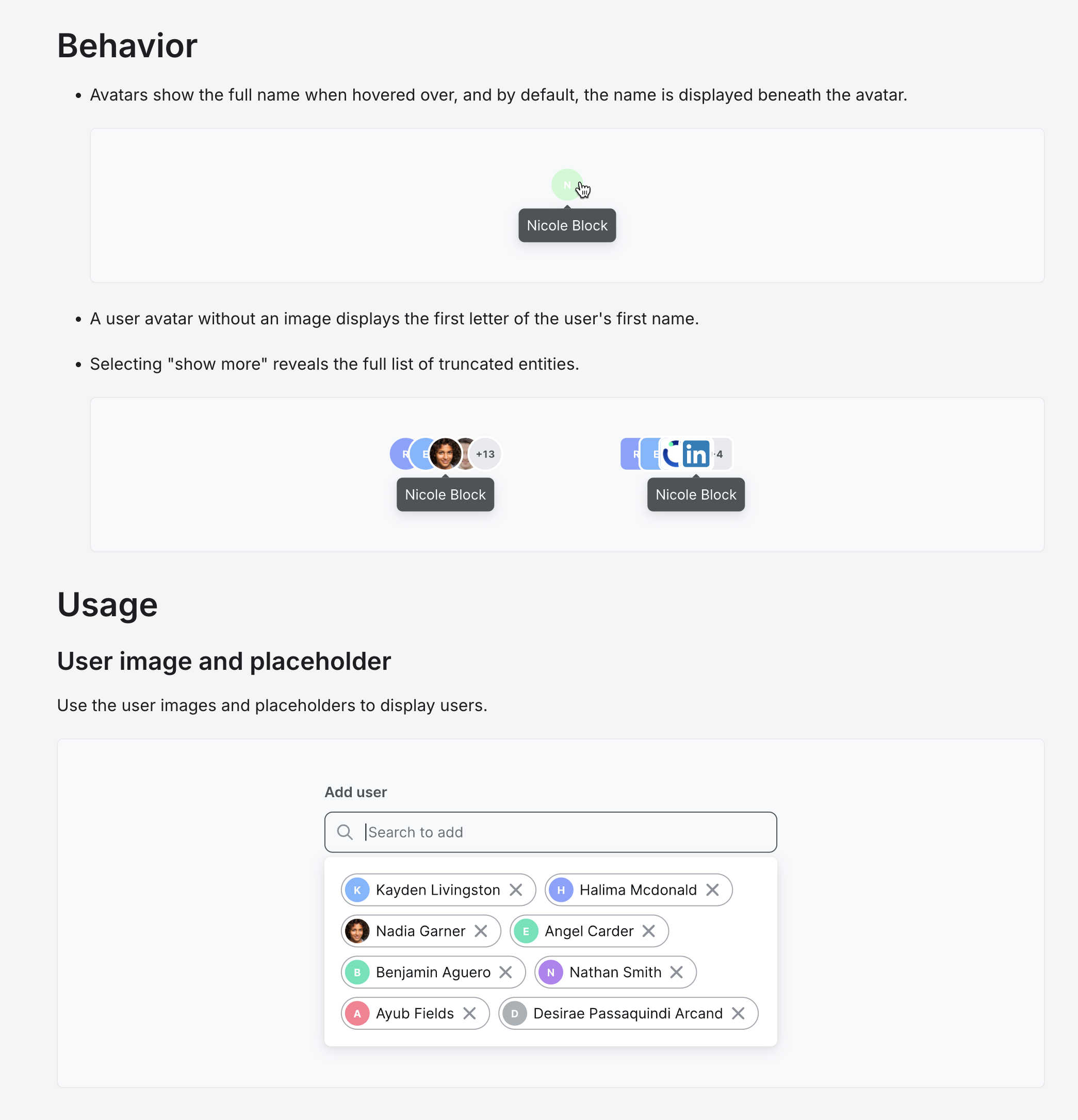
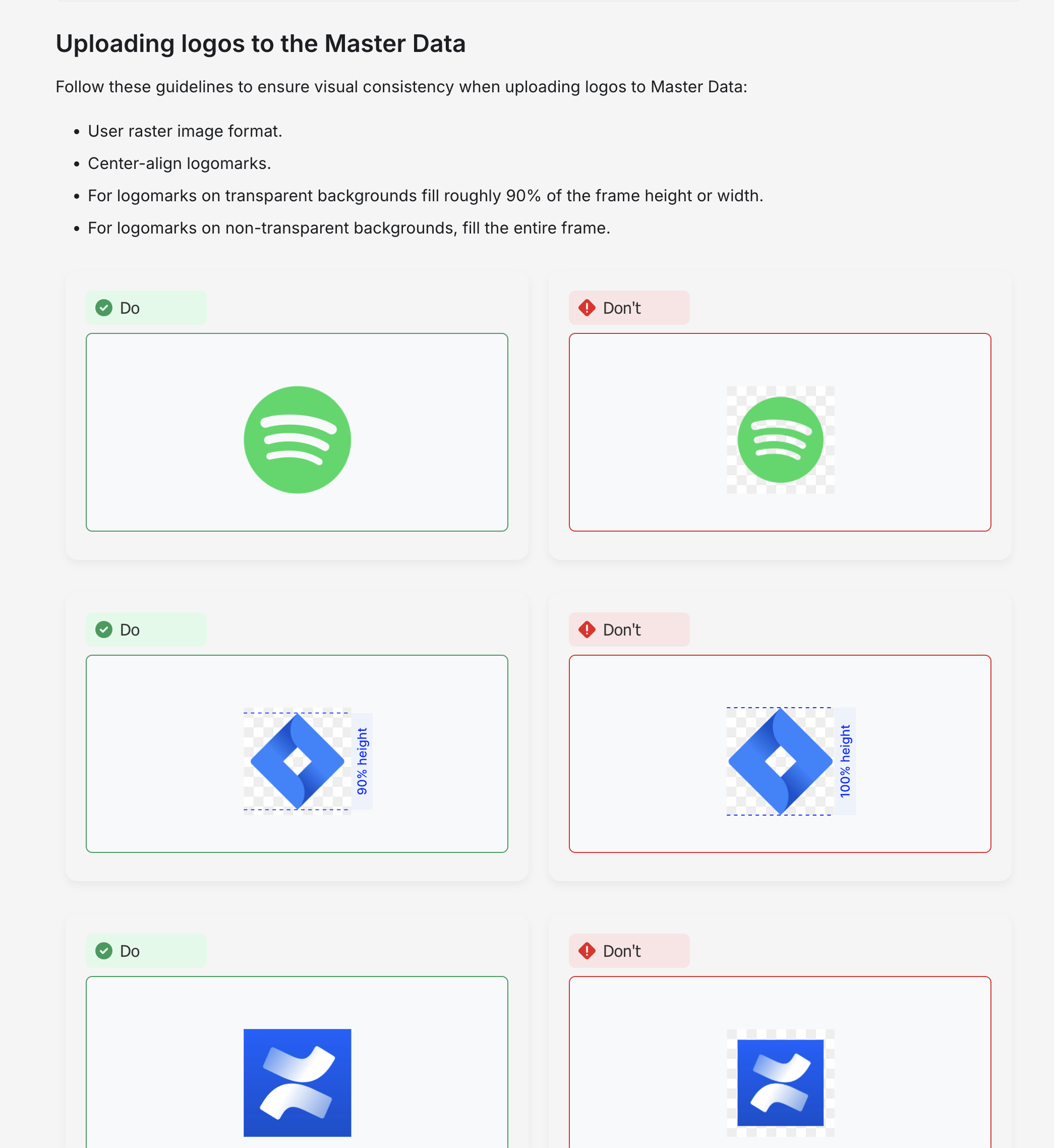
I gave each component its own page and wrote "when to use" and "when not to use" guidance, because telling people what not to do is often the most useful advice. I added full-page examples so layouts stayed consistent.

Accessibility built in

I audited base components against WCAG standards using WAVE and Figma accessibility plugins to identify and surface compliance issues.

AA, AAA Pass

Contrast ratio

7.5:1

Required contrast

3:1

Contrast Ratios

UI components maintain a minimum 3:1 contrast ratio against backgrounds, while standard body text meets the required 4.5:1 ratio.

Semantic Markup & ARIA

Interactive elements feature descriptive labels, ARIA roles, and attributes to support screen readers and assistive technologies.

Keyboard Navigation

All interactive elements support full keyboard navigation (e.g., Tab key) with clear focus states based on ARIA specifications.

Listening to users

I set up a dedicated channel where designers and front-end engineers could ask questions and give feedback, and ran test sessions with both groups before launch to check they understood how things worked.

Result and impact

Based on a Q3 2023 team survey, a consistent component library and clear guidelines reduced handoff time by at least 50%.

Covered 90% of component needs for media and creative teams, achieving system-wide integration across core feature teams within six months.

Design system works for 50+ agencies and client projects, with 80+ components.

The design system supported platform growth from 5,000 to 29,000+ active users.

What I learned

  1. Figma updates and limitations
  • I wouldn't build complicated workarounds for something Figma might add later, because they cause trouble when the proper feature arrives.
  1. Documentation
  • Actionable Guidance: I include clear "when to use" and "when not to use" guidelines. Negative guidance is often the most valuable.
  • I avoid leaving guidelines theoretical. I provide full-page examples to maintain layout consistency and demonstrate structural patterns.
  1. Flexibility (Solving the "Museum" Problem)
  • I try to avoid over-governance: A system that is too rigid forces teams to work around it.
  • I now build in slots that let designers change specific areas of a component without detaching it, instead of dozens of rigid variants. One dropdown with a slot replaced 15 variants for different content types.
  • I avoid building non-modular components; build them like Lego blocks instead.

One design system for 30+ teams and 50+ agencies

Client: WPP 2022 – 2024 | Design Team: 3 designers | Role: Senior Product Designer

Web

Situation

A large AdTech holding company had teams across several business units, and each team built its own screens. Products looked and behaved differently, code was duplicated and engineers spent up to 70% of time rebuilding things that already existed.

Task

As Senior Product Designer in a team of three, I contributed to the strategy and build of one design system. It had to suit both data-heavy business tools and media-rich creative apps, support each agency's own brand colours, and stay accessible.

Action

One foundation instead of two libraries. Media teams needed tidy, rigid tools for complex data, while creative teams needed flexible screens for collaborative work. Rather than maintain two libraries, I built a single shared foundation that serves both, which also sped up each team's own feature work.

Token-Driven Architecture

Built a tiered token architecture (primitive, semantic, component) to support scalability and simplify global updates, enabling agency colour swaps via JSON file.

To swap colours in Figma (before Figma introduced in-house variables) I used a dedicated Foundation library file so teams could apply custom colours and styling independently without touching the core system

#003DE4

Value

color-base-500-light-agency

Primitive token

color-PrimaryBG-light-agency

Semantic token (Purpose)

button-color-PrimaryBG-light-agency

Component token
A Theme Builder for agencies

We’ve created an internal tool to provide agencies and clients spaces with guidance on creating their own theme and have a preview of core elements.
Design and code released together

I treated the Figma files and the coded components as one package, with version numbers that tell people how big a change is. Through semantic versioning and post-handoff Storybook alignment, I eliminated design-to-engineering drift.

v.1.x.x

Major releases with breaking changes and significant updates. Major releases substitute one of the monthly minor releases based on what we want to release. We always let you know about upcoming major releases.

v.1.1.x 

Minor releases with smaller improvements, new features, and bug fixes. Minor releases happen monthly.

v.1.1.1

Patch releases with critical fixes or improvements. We don't plan patch releases. They happen when we need to update something outside the planned release schedule.

Documentation designed like a product

I gave each component its own page and wrote "when to use" and "when not to use" guidance, because telling people what not to do is often the most useful advice. I added full-page examples so layouts stayed consistent.

Accessibility built in

I audited base components against WCAG standards using WAVE and Figma accessibility plugins to identify and surface compliance issues.

AA, AAA Pass

Contrast ratio

7.5:1

Required contrast

3:1

Contrast Ratios

UI components maintain a minimum 3:1 contrast ratio against backgrounds, while standard body text meets the required 4.5:1 ratio.

Semantic Markup & ARIA

Interactive elements feature descriptive labels, ARIA roles, and attributes to support screen readers and assistive technologies.

Keyboard Navigation

All interactive elements support full keyboard navigation (e.g., Tab key) with clear focus states based on ARIA specifications.

Listening to users

I set up a dedicated channel where designers and front-end engineers could ask questions and give feedback, and ran test sessions with both groups before launch to check they understood how things worked.

Result and impact

Based on a Q3 2023 team survey, a consistent component library and clear guidelines reduced handoff time by at least 50%.

Covered 90% of component needs for media and creative teams, achieving system-wide integration across core feature teams within six months.

Design system works for 50+ agencies and client projects, with 80+ components.

The design system supported platform growth from 5,000 to 29,000+ active users.

What I learned

  1. Figma updates and limitations
  • I wouldn't build complicated workarounds for something Figma might add later, because they cause trouble when the proper feature arrives.
  1. Documentation
  • Actionable Guidance: I include clear "when to use" and "when not to use" guidelines. Negative guidance is often the most valuable.
  • I avoid leaving guidelines theoretical. I provide full-page examples to maintain layout consistency and demonstrate structural patterns.
  1. Flexibility (Solving the "Museum" Problem)
  • I try to avoid over-governance: A system that is too rigid forces teams to work around it.
  • I now build in slots that let designers change specific areas of a component without detaching it, instead of dozens of rigid variants. One dropdown with a slot replaced 15 variants for different content types.
  • I avoid building non-modular components; build them like Lego blocks instead.

One design system for 30+ teams and 50+ agencies

Client: WPP 2022 – 2024 | Design Team: 3 designers | Role: Senior Product Designer

Web

Situation

A large AdTech holding company had teams across several business units, and each team built its own screens. Products looked and behaved differently, code was duplicated and engineers spent up to 70% of time rebuilding things that already existed.

Task

As Senior Product Designer in a team of three, I contributed to the strategy and build of one design system. It had to suit both data-heavy business tools and media-rich creative apps, support each agency's own brand colours, and stay accessible.

Action

One foundation instead of two libraries. Media teams needed tidy, rigid tools for complex data, while creative teams needed flexible screens for collaborative work. Rather than maintain two libraries, I built a single shared foundation that serves both, which also sped up each team's own feature work.

Token-Driven Architecture

Built a tiered token architecture (primitive, semantic, component) to support scalability and simplify global updates, enabling agency colour swaps via JSON file.

To swap colours in Figma (before Figma introduced in-house variables) I used a dedicated Foundation library file so teams could apply custom colours and styling independently without touching the core system

#003DE4

Value

color-base-500-light-agency

Primitive token

color-PrimaryBG-light-agency

Semantic token (Purpose)

button-color-PrimaryBG-light-agency

Component token

A Theme Builder for agencies

We’ve created an internal tool to provide agencies and clients spaces with guidance on creating their own theme and have a preview of core elements.
Design and code released together

I treated the Figma files and the coded components as one package, with version numbers that tell people how big a change is. Through semantic versioning and post-handoff Storybook alignment, I eliminated design-to-engineering drift.

v.1.x.x

Major releases with breaking changes and significant updates. We always let you know about upcoming major releases.

v.1.1.x 

Minor releases with smaller improvements, new features, and bug fixes. Minor releases happen monthly.

v.1.1.1

Patch releases with critical fixes or improvements. We don't plan patch releases. They happen when we need to update something outside the planned release schedule.
Documentation designed like a product

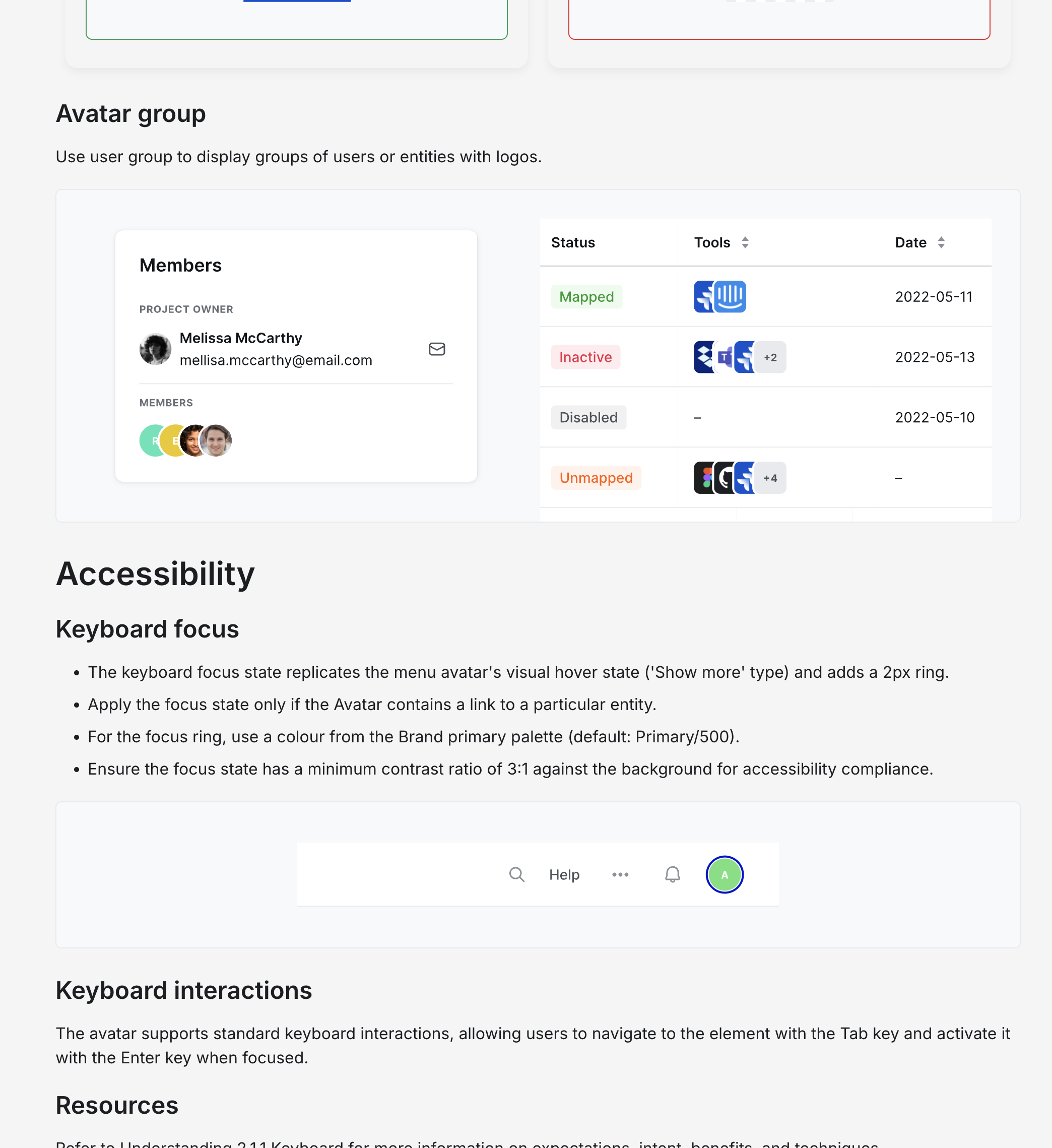
I gave each component its own page and wrote "when to use" and "when not to use" guidance, because telling people what not to do is often the most useful advice. I added full-page examples so layouts stayed consistent.
Accessibility built in

I audited base components against WCAG standards using WAVE and Figma accessibility plugins to identify and surface compliance issues.

AA, AAA Pass

Contrast ratio

7.5:1

Required contrast

3:1

Contrast Ratios

UI components maintain a minimum 3:1 contrast ratio against backgrounds, while standard body text meets the required 4.5:1 ratio.

Semantic Markup & ARIA

Interactive elements feature descriptive labels, ARIA roles, and attributes to support screen readers and assistive technologies.

Keyboard Navigation

All interactive elements support full keyboard navigation (e.g., Tab key) with clear focus states based on ARIA specifications.

Listening to users

I set up a dedicated channel where designers and front-end engineers could ask questions and give feedback, and ran test sessions with both groups before launch to check they understood how things worked.

Result and impact

Based on a Q3 2023 team survey, a consistent component library and clear guidelines reduced handoff time by at least 50%.

Covered 90% of component needs for media and creative teams, achieving system-wide integration across core feature teams within six months.

Design system works for 50+ agencies and client projects, with 80+ components.

The design system supported platform growth from 5,000 to 29,000+ active users.

What I learned

  1. Figma updates and limitations
  • I wouldn't build complicated workarounds for something Figma might add later, because they cause trouble when the proper feature arrives.
  1. Documentation
  • Actionable Guidance: I include clear "when to use" and "when not to use" guidelines. Negative guidance is often the most valuable.
  • I avoid leaving guidelines theoretical. I provide full-page examples to maintain layout consistency and demonstrate structural patterns.
  1. Flexibility (Solving the "Museum" Problem)
  • I try to avoid over-governance: A system that is too rigid forces teams to work around it.
  • I now build in slots that let designers change specific areas of a component without detaching it, instead of dozens of rigid variants. One dropdown with a slot replaced 15 variants for different content types.
  • I avoid building non-modular components; build them like Lego blocks instead.